Quiz Current Workflow
Quiz Current
Workflow
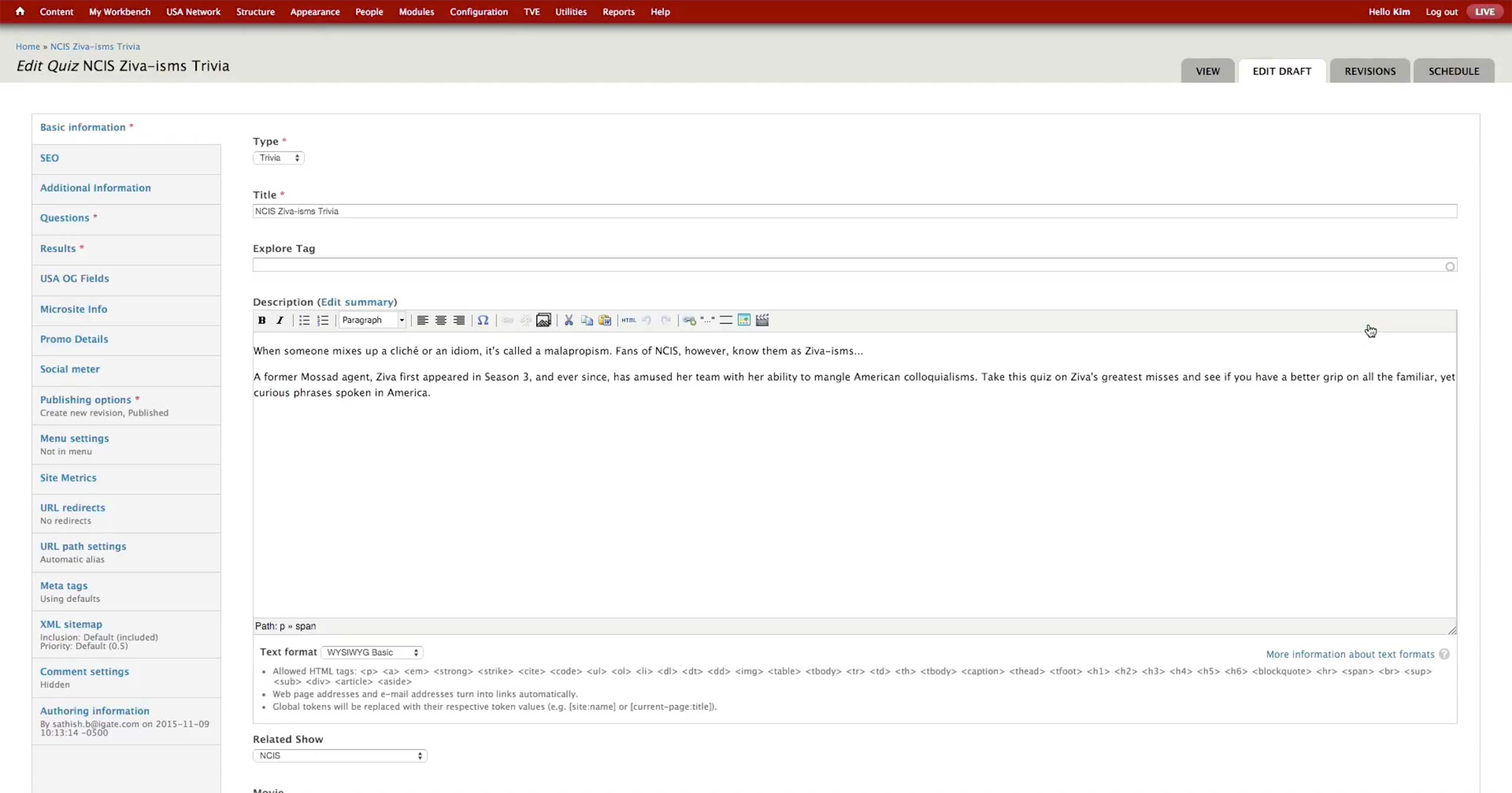
On the initial screen, producer chooses the type of the quiz - Trivia or Profiler. Trivia counts the number of questions the user got right and shows appropriate messages depending on the number. Profiler lets the user know which character is the most similar to them based on the user’s answers.
Producer enters Title, Description, and related show or movie.

In Additional Information tab, producer sets the images to be used on the front page of the quiz.
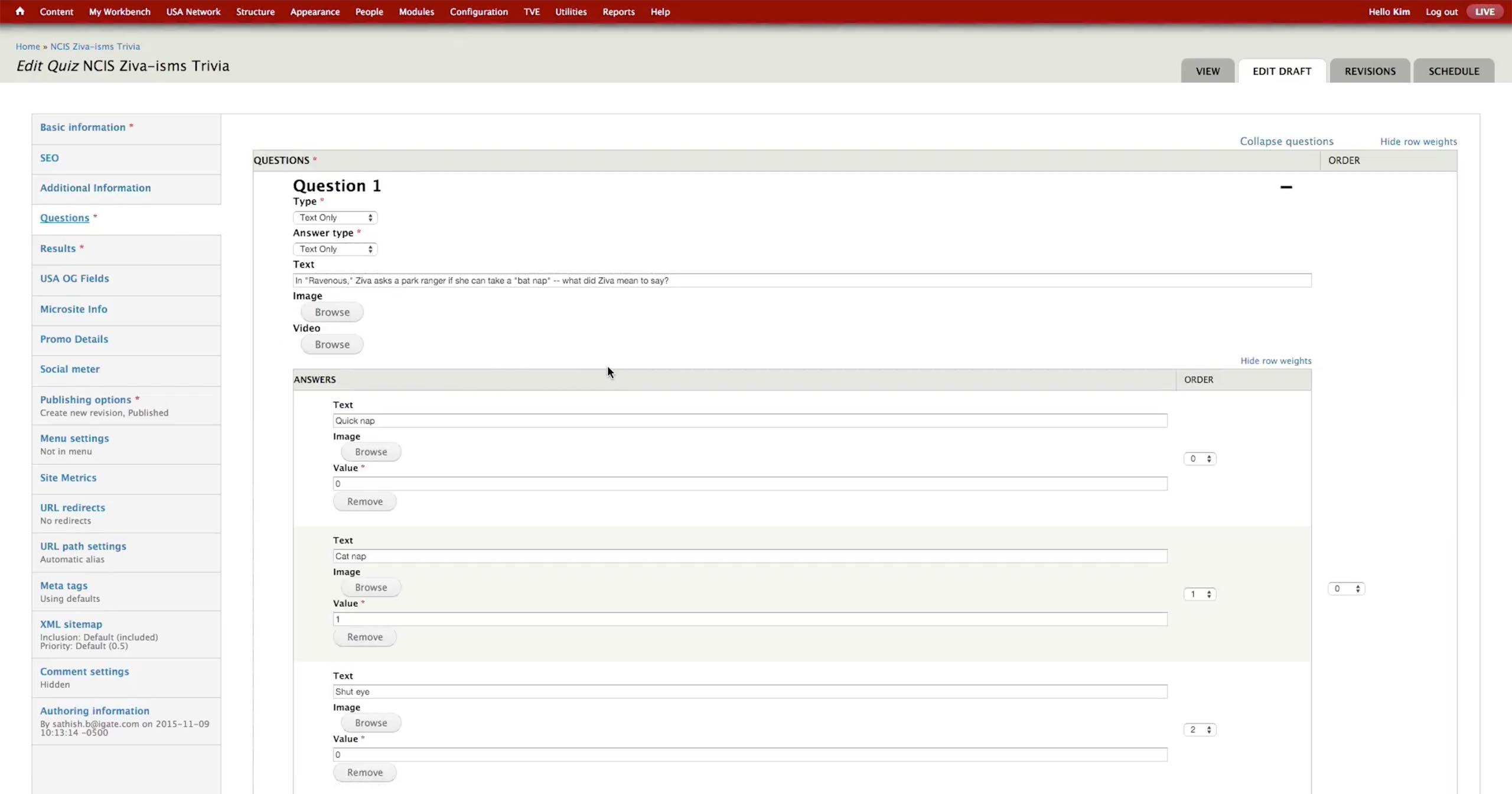
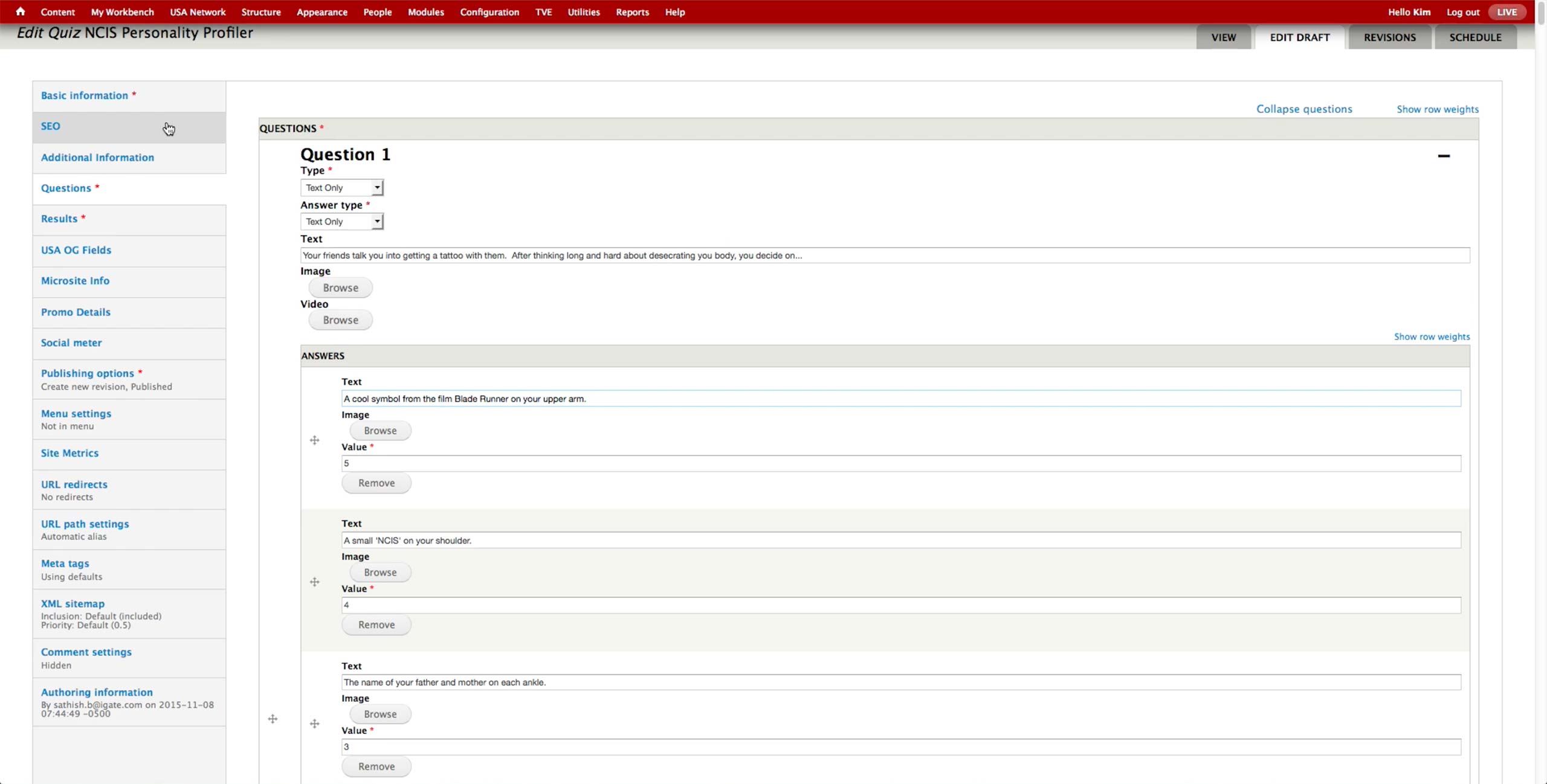
In the Questions tab, producer pastes the questions and values she got from the content writers.
  • Type: Has Text Only, Image Only, Image and Text, Video Only, and Video and Text options. USA doesn’t use video option.
  • Answer Type: Has Text Only, Image Only, and Image and Text options.
  • Text: Question itself.
  • Browse buttons: They are activated when the appropriate options are selected for Type.
  • Answer Text: Text for the answer option.
  • Value: For Trivia, the right answer is marked with 1 and the wrong with 0.
  • Value: For Profiler, each answer gets a certain value, anywhere from 1 to 5 or more. At the end of the quiz, the values are added up to fall in a range of a specific character.
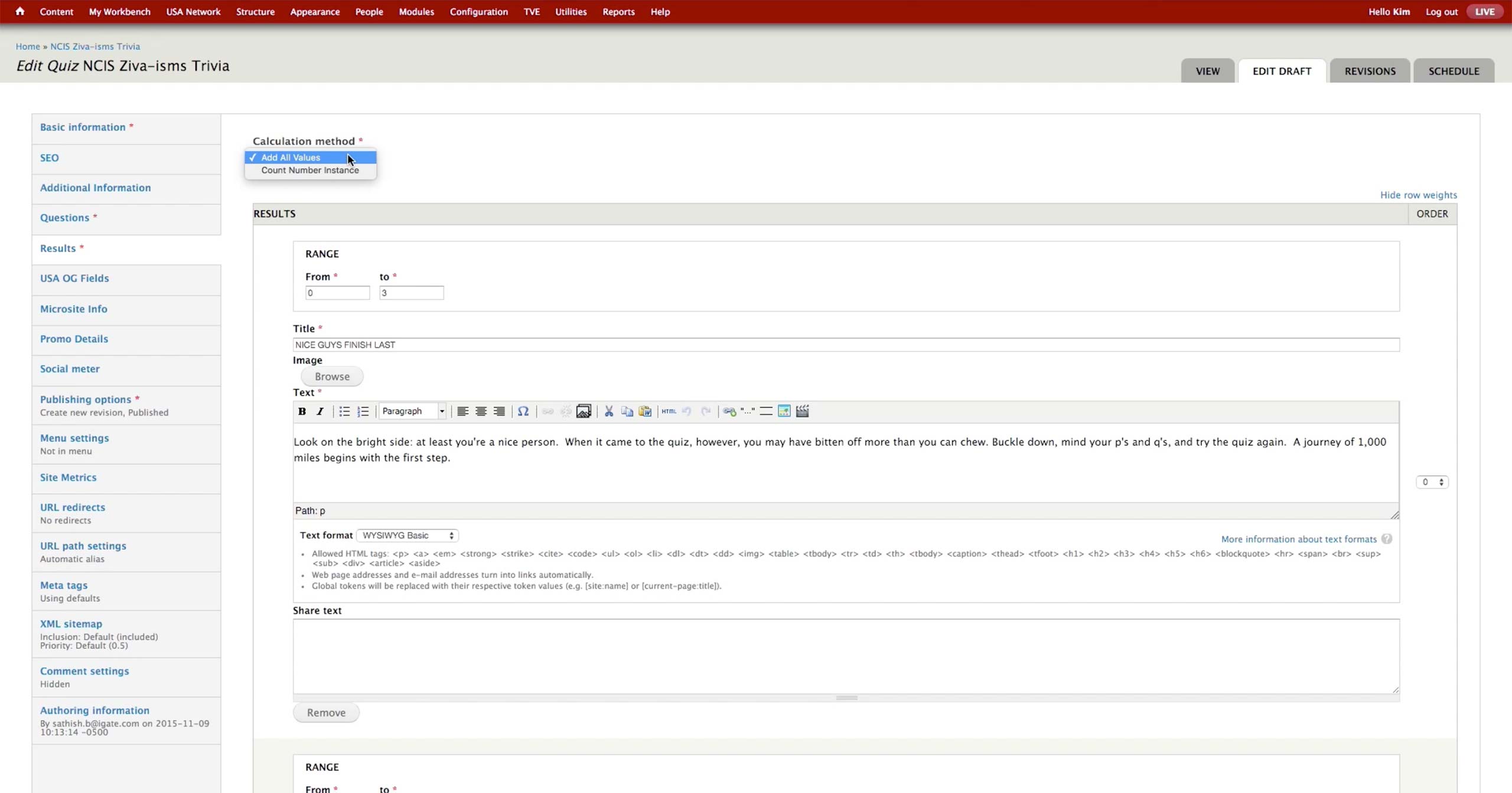
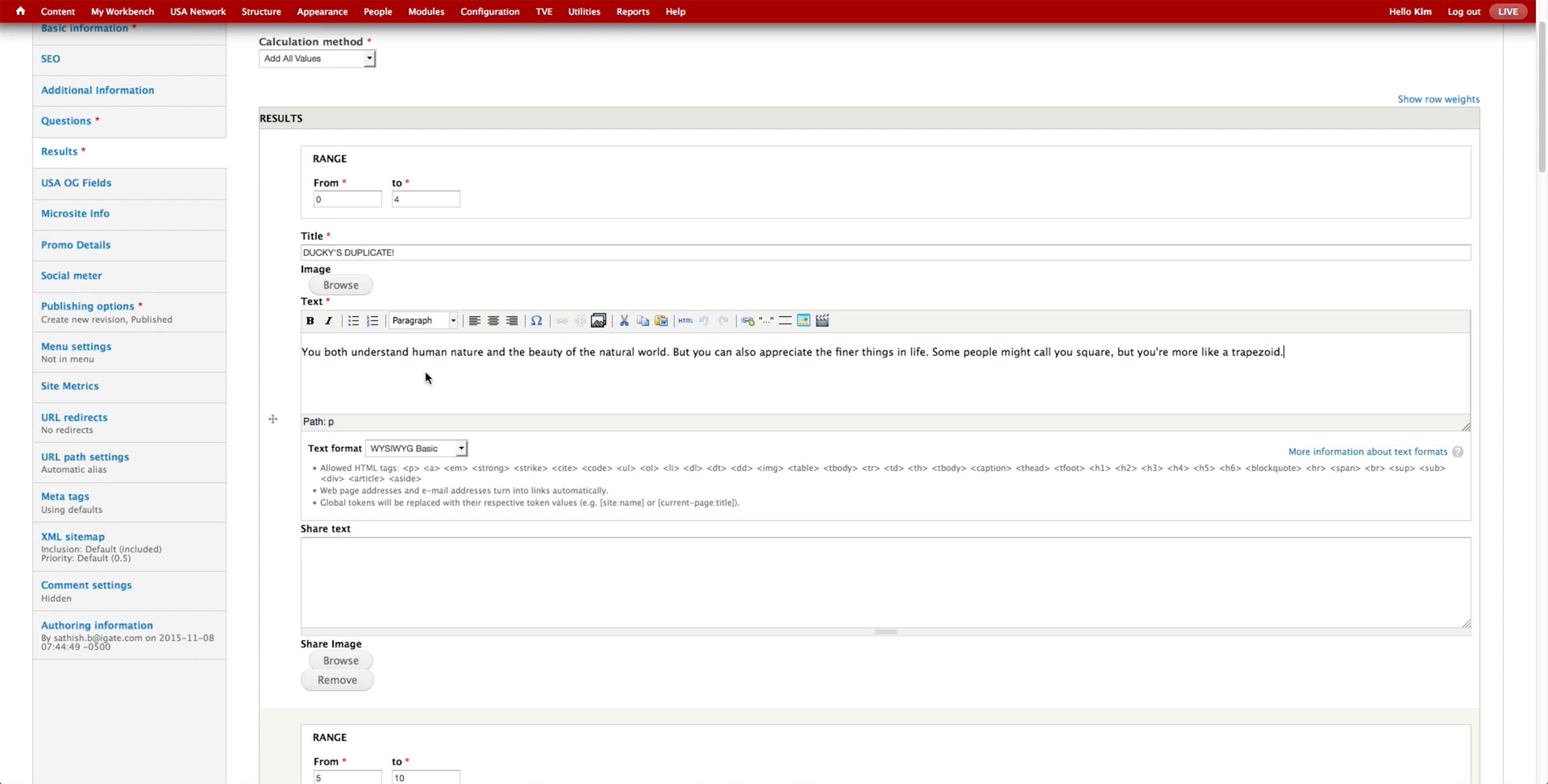
In the Results section, producer sets the Calculation method. USA uses Add All Values option only at the moment.
Results are consisted of the following fields:
  • Range: Sets the value range for the sum of values.
  • Title: Title of the result.
  • Image: The image that appears at the top of the result.
  • Text: The text that accompanies the result.
The layout is the same for the Profiler Quiz, just the text would have different content with Character’s name inside.