A-Spot Use Cases For Other Brands
A-Spot Use
Cases For
Other Brands
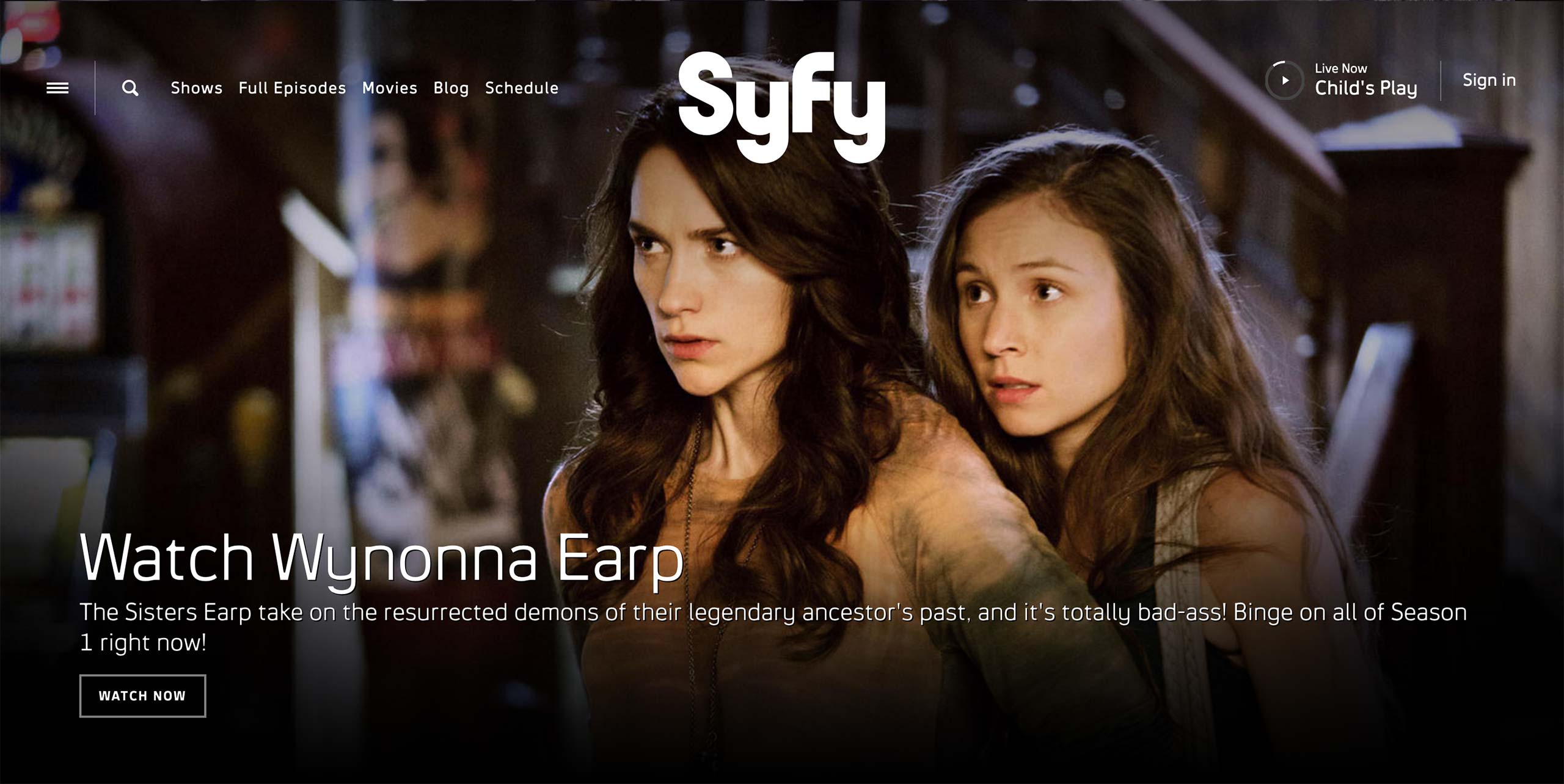
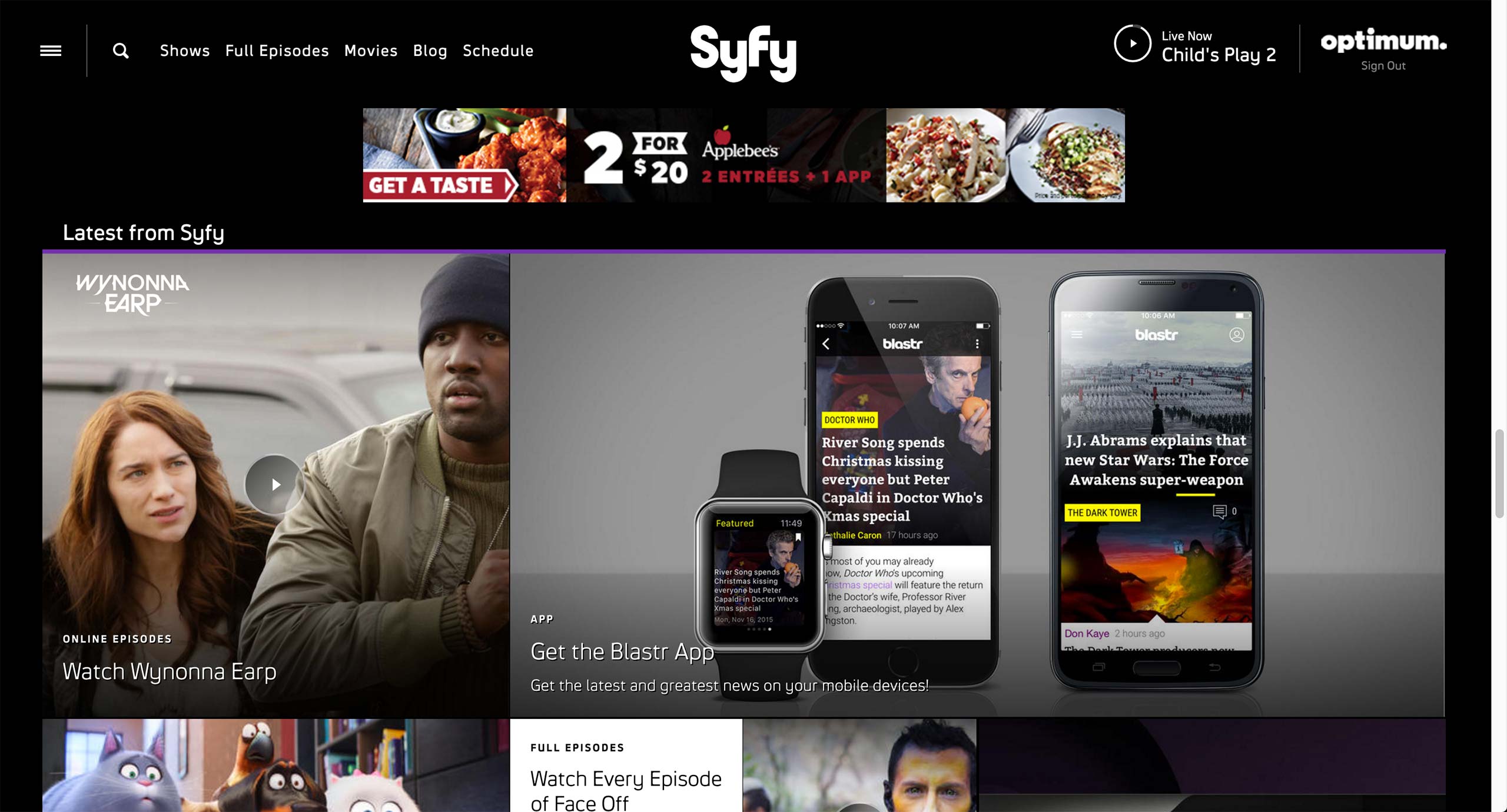
There are 2 use cases for Syfy’s Promo content type: Homepage and the feature body.
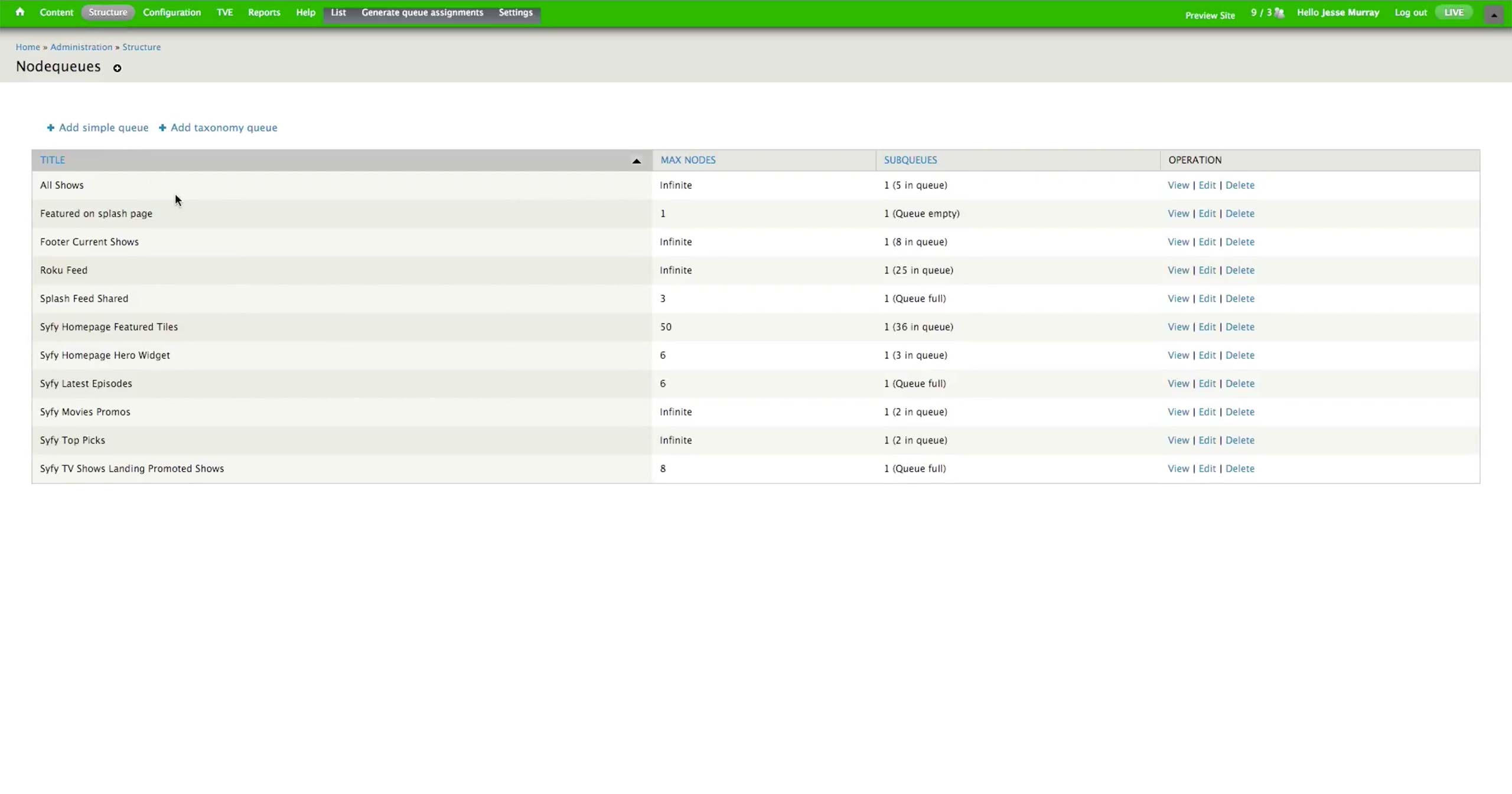
Structure > Nodequeues page holds all the collections that have contents for the page. The number of assets is specified for each nodequeue.
Homepage Hero Widget nodequeue is a curated collection, which producer needs to manually insert and remove the content to be displayed in the hero.
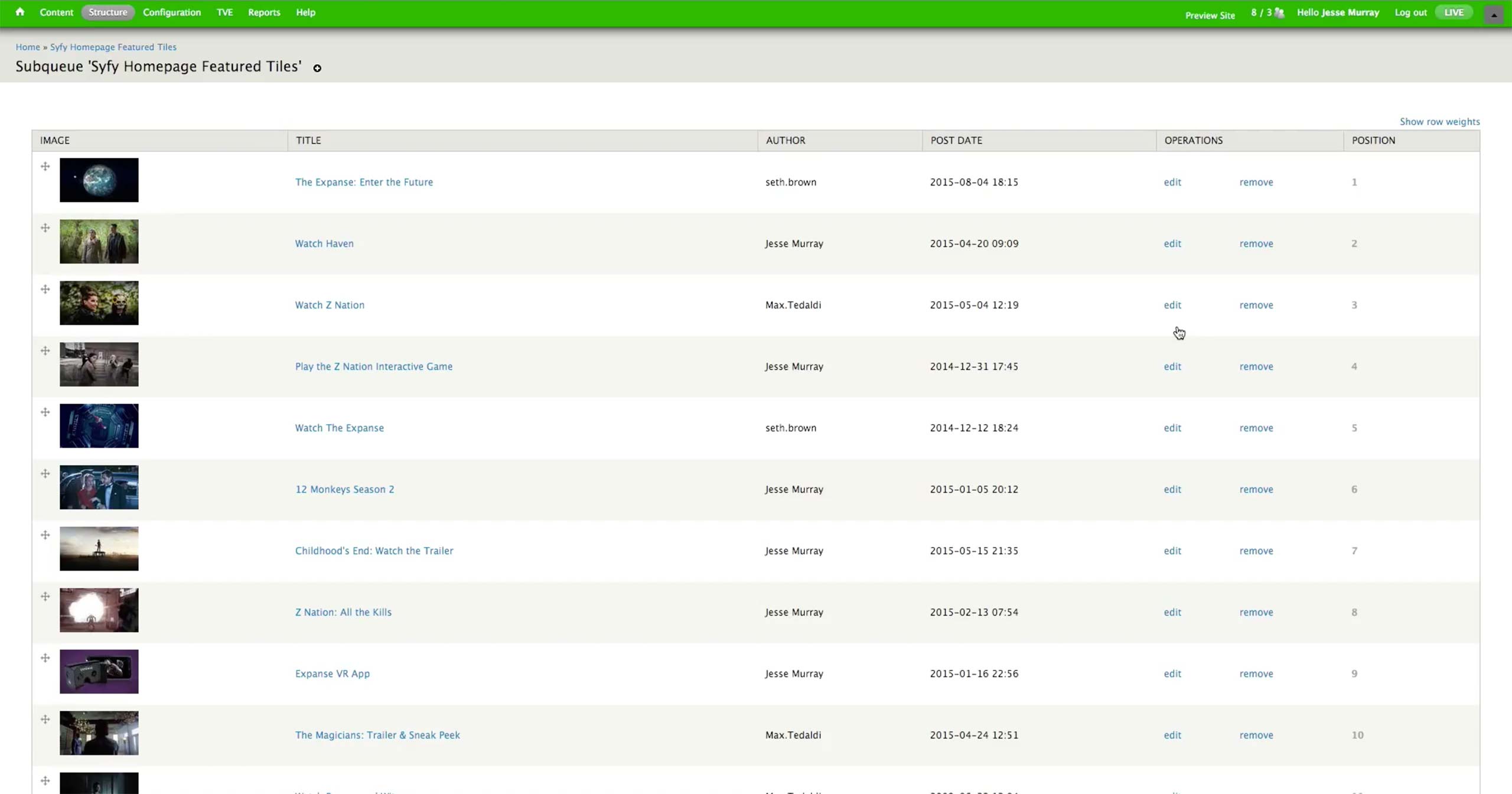
Featured Tiles Widget is a dynamic nodequeue; whenever there is a new content created, it automatically populates the Featured section in the homepage.
In the individual Promo content, there are Tagline (equivalent of Kicker), Title, Link, and image fields. There is also an option to opt out of the Show Landing Page’s Dynamic Collection if the Promo is meant for the Homepage only.
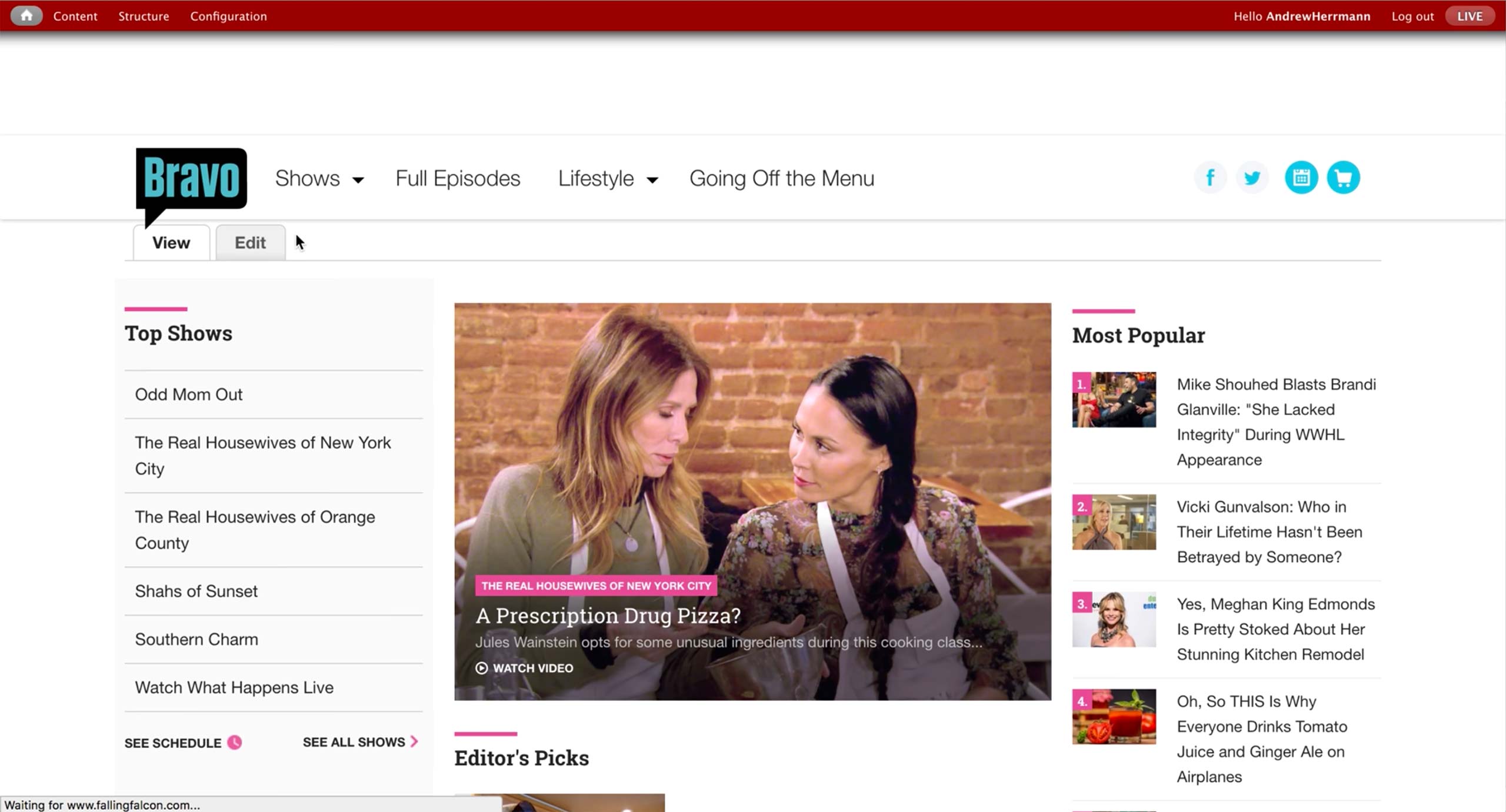
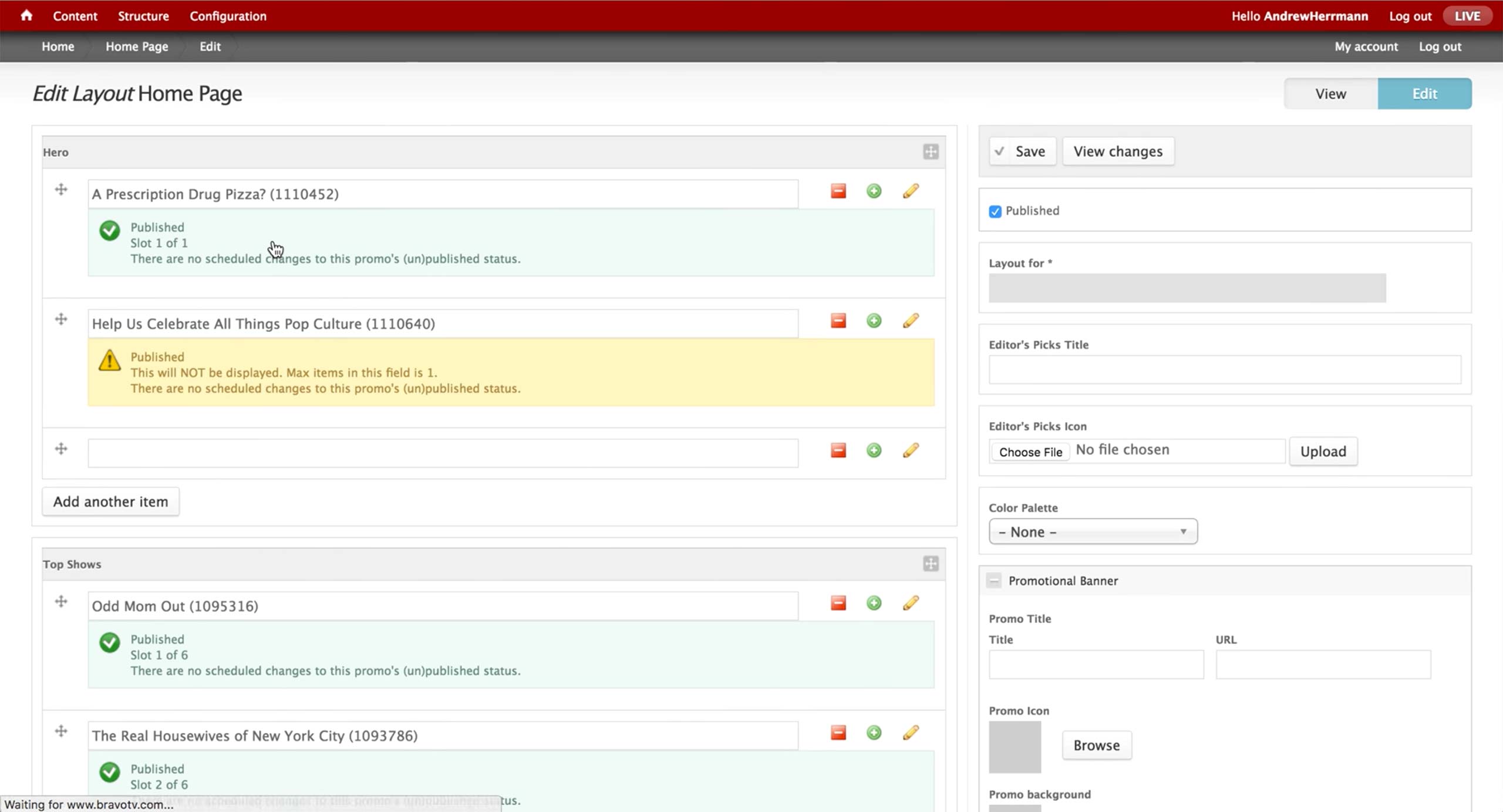
Bravo has a different access point; when the producer is logged in, he can always see View and Edit options. Edit takes him to the Layout screen.
Layout defines what content that each section holds. Each section has a limit of contents that can be shown in the front-end page, and it clearly lets the producer know which content is published, scheduled, and not displayed.
By clicking on the plus icon, producer can add a new Promo.
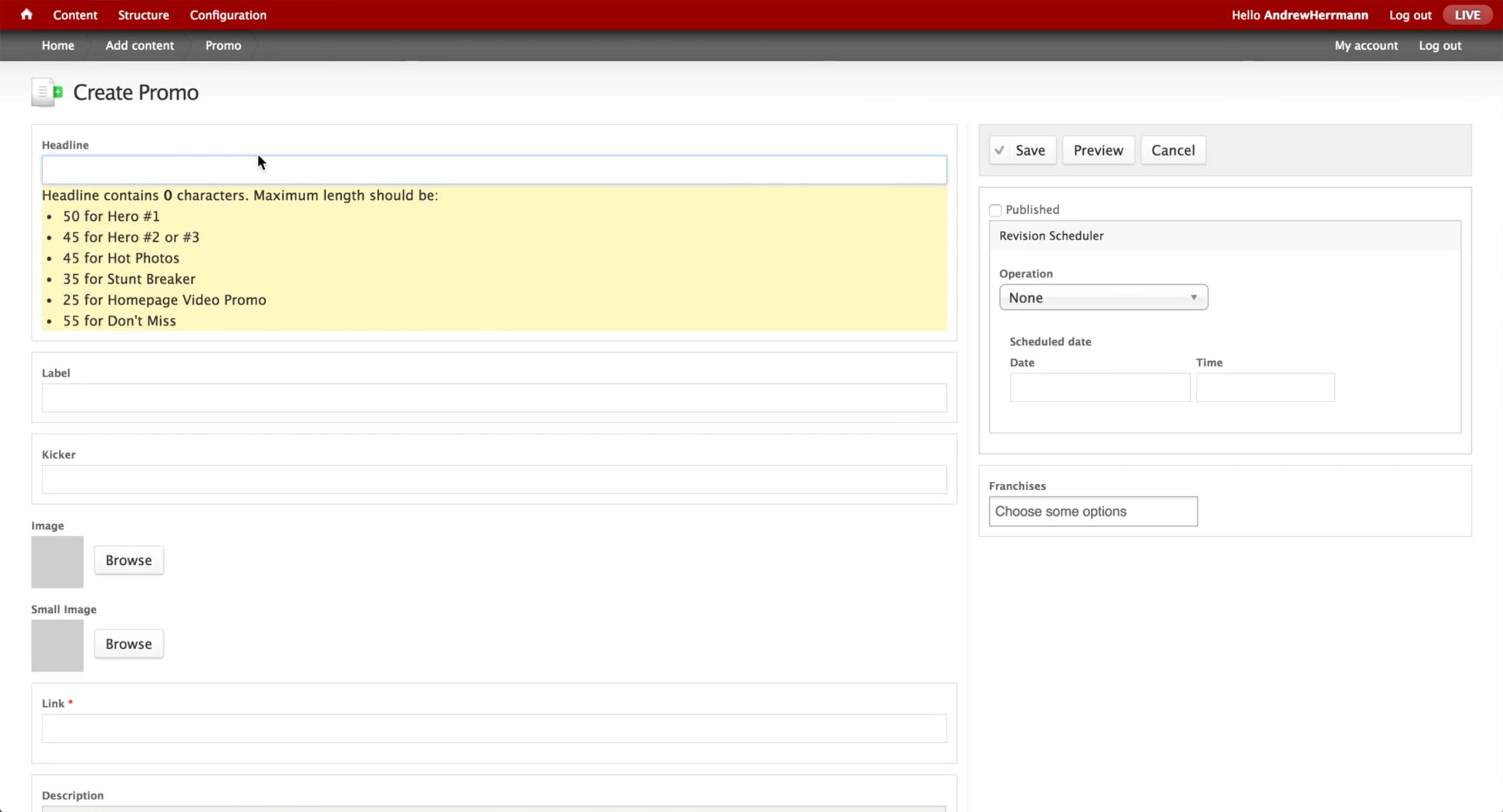
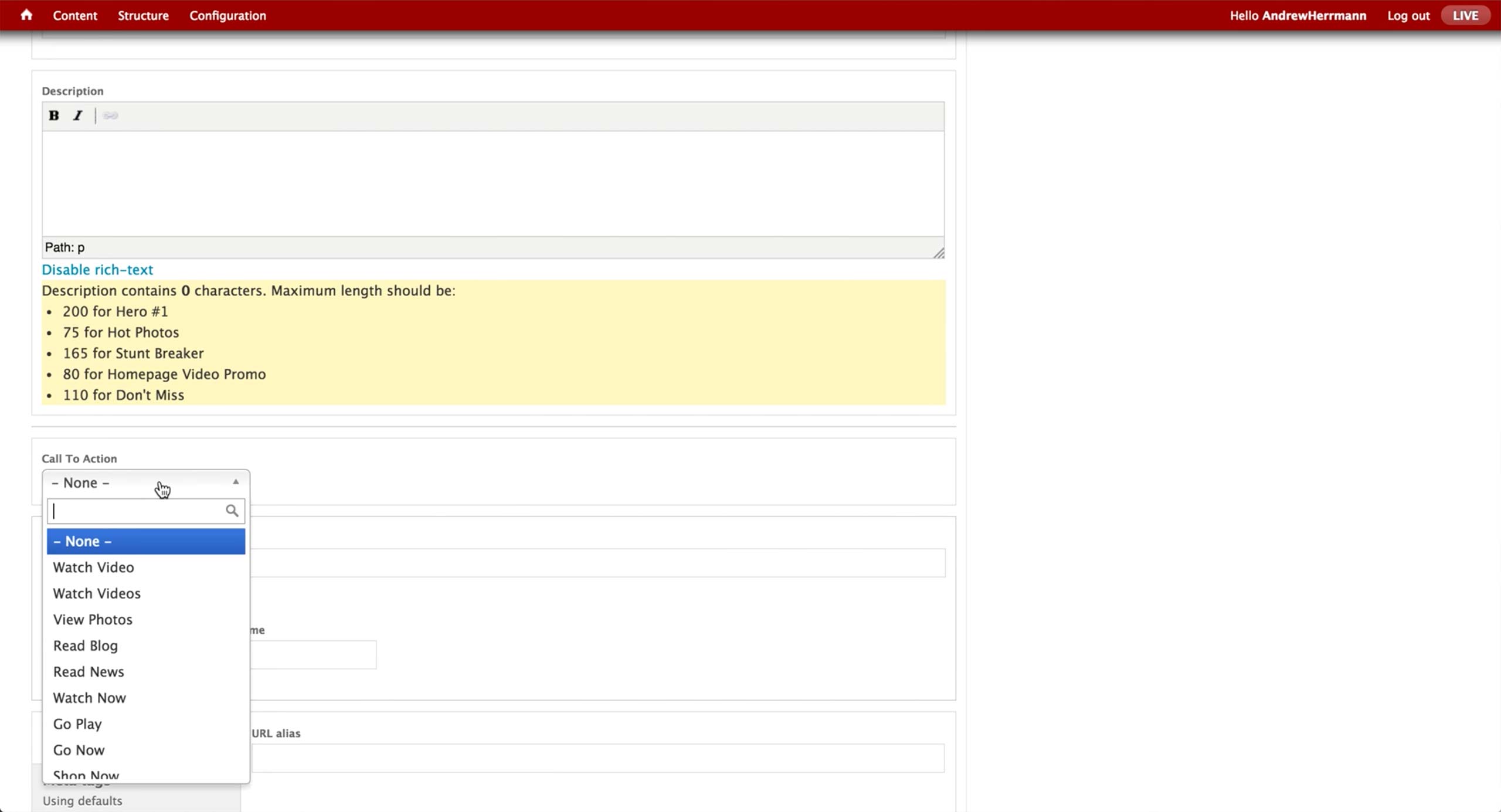
In the Promo page, the producer needs to enter the Headline, Label, Kicker, Link, Description, and Call To Action.
All the Call To Action button labels are pre-defined, and the producer chooses the appropriate one depending on the promoted content.
For NBC, producer curates 3 sections in the show’s landing page. First is the Dynamic Lead hero area, where a number of content is autoplayed in the carousel.
Next, there is a Marketing Band in the middle of the page, where internal marketing ads are placed.
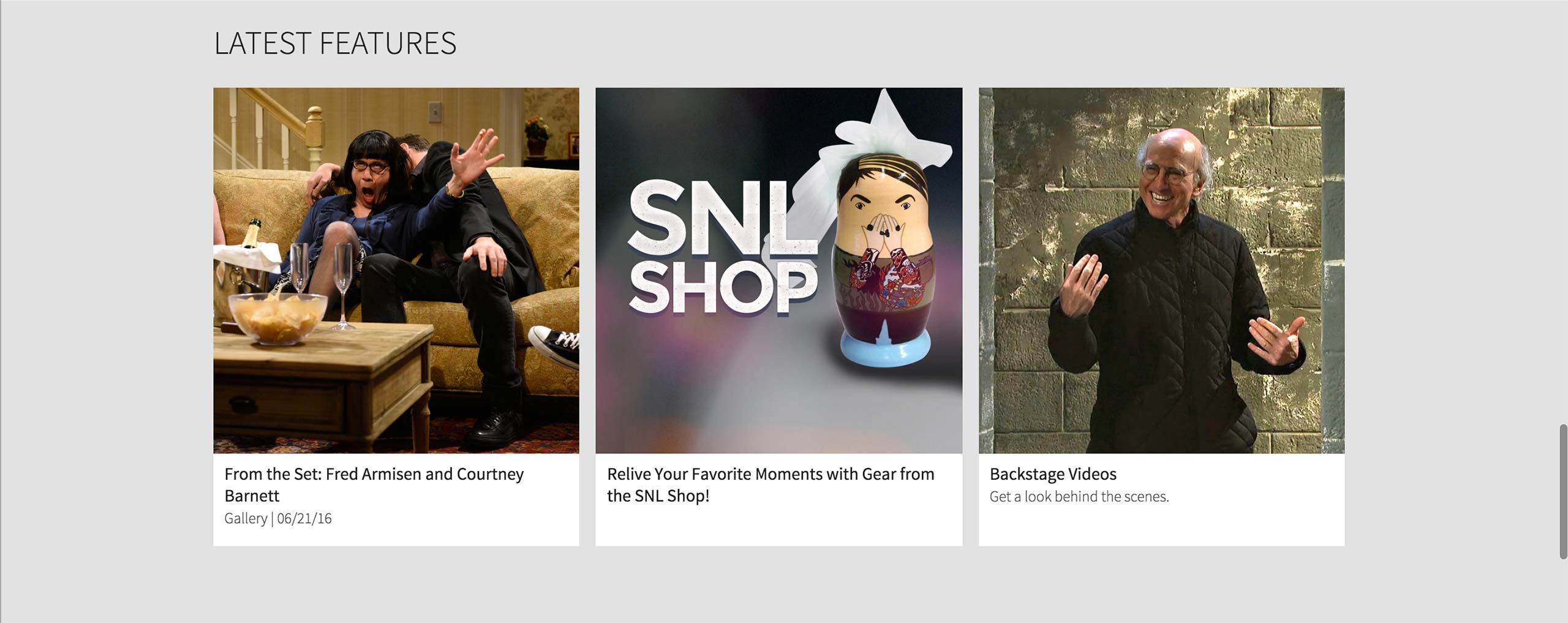
Last is the Features section at the very bottom of the page, where show-related contents are promoted.
In NBC, producer has to search for the Collection of Collection with the title in the library.
If he doesn’t know the exact title of the Collection of Collection, he can find the corresponding Series and go to the Collections tab to find out which Collection of Collection is being used.
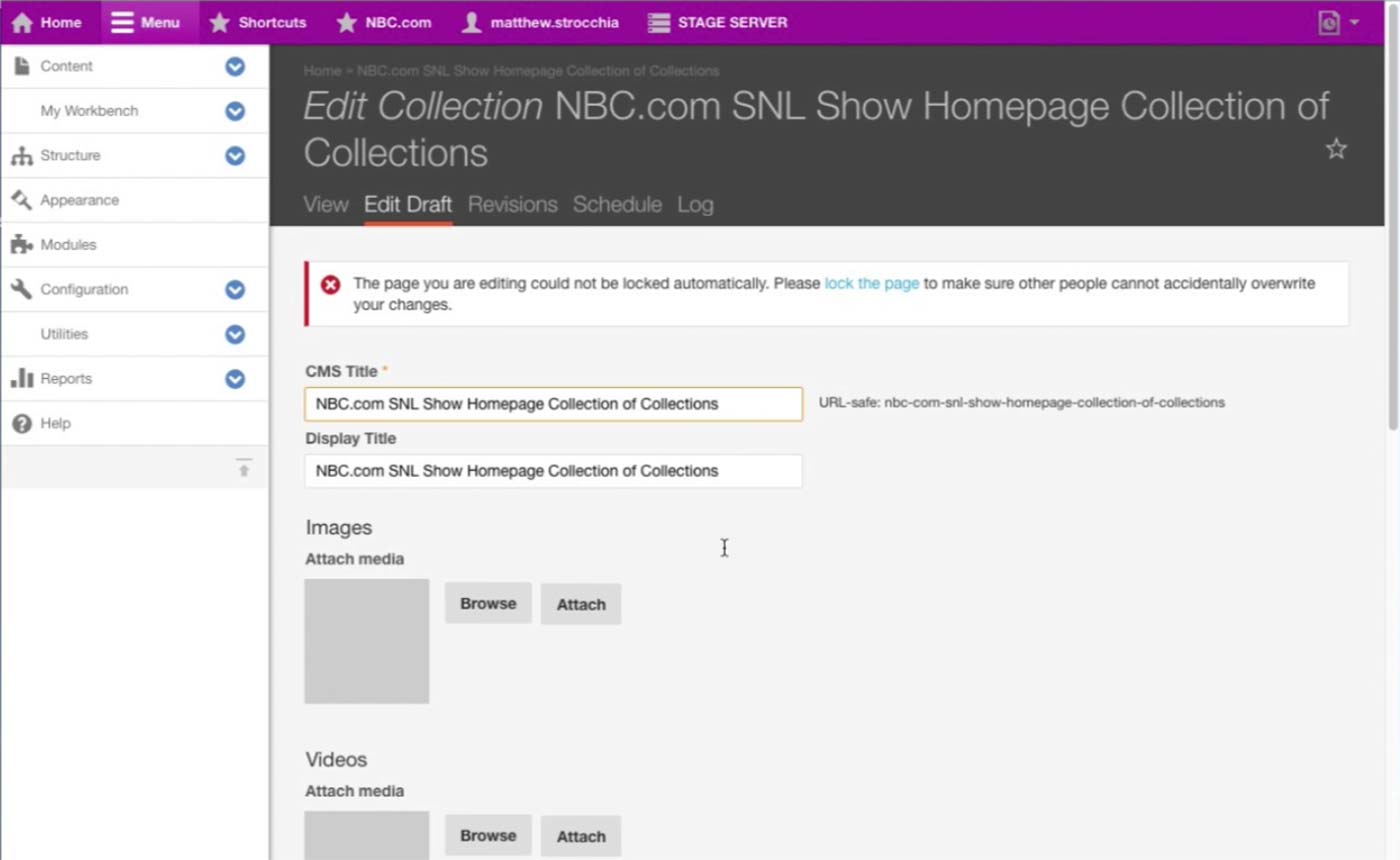
This is the Collection of Collection that holds content for the landing page of Saturday Night Live.
There are three Collections in this Collection of Collection: Dynamic Lead Collection for the Hero area, Marketing Band Collection for the internal ad section right below the dynamic video shelf, and Features Collection for the very bottom shelf that displays promoted contents of the Series.
Collection Content Type can not only be a Collection that has various contents, but also be a Collection of Collection that has multiple Collections inside. Thus, each collection mentioned above has the same structure and interface with this screen, only with corresponding sections filled out with content. For example, Dynamic Lead Collection would have DL Slides section filled with Dynamic Lead Content Type.

This is how a single Marketing Band Content Type looks like. Producer needs to upload multiple images for different layouts and screen sizes.
After the Marketing Band is created, producer can find this Marketing Band in the corresponding Marketing Band Collection, which belongs to a Collection of Collection that ultimately displays this content to the assigned Series’s landing page.
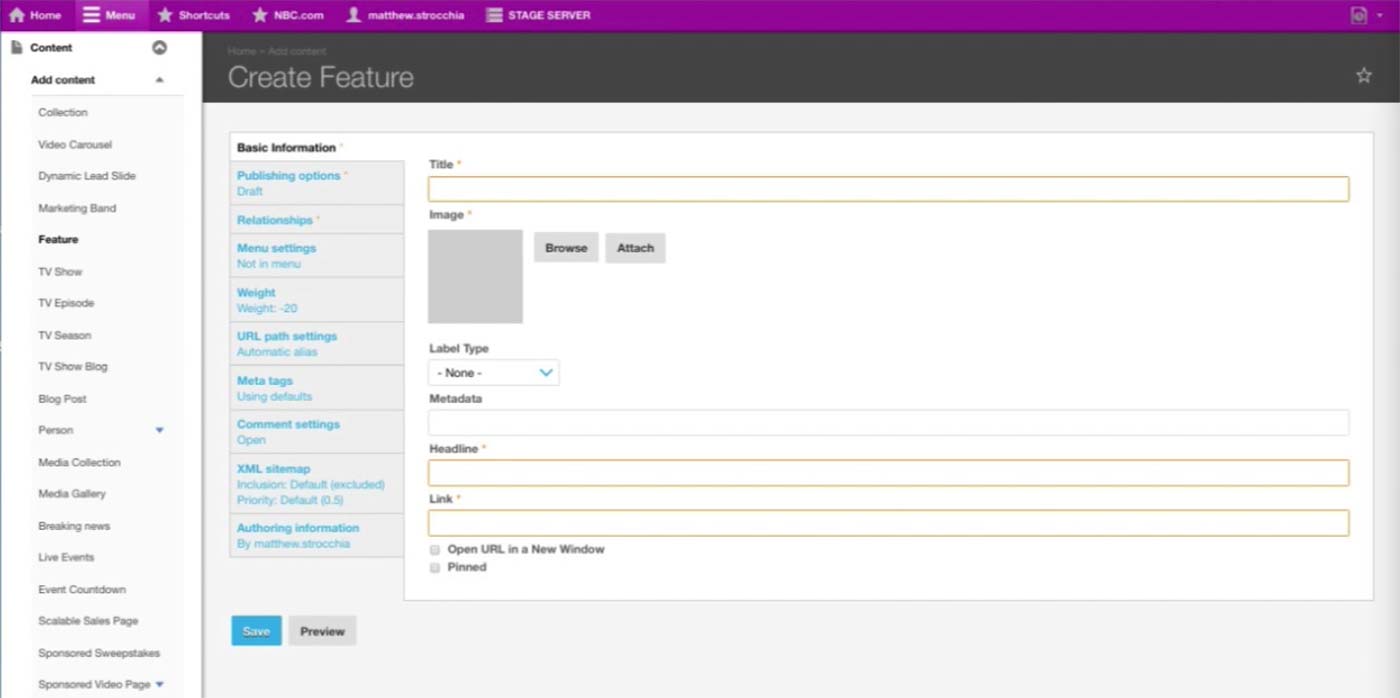
This is the initial screen of a Feature Content Type. This is closer to the Promo Content Type of other brands; it has Title, Image, Headline, and Link.
After the Feature is created, producer can find this Feature in the corresponding Feature Collection, which belongs to a Collection of Collection that ultimately displays this Feature on the assigned Series’s landing page.